Clean
Cuts on bars, whole moves
Cuts on the bar with straight cuts and no effects, so the footage carries it.
DriftEdit is a video editor that runs in your browser tab. Give auto mode a song and your footage and it cuts an edit to the music, which you can then change in every detail. Your files stay on your device.
Free, no account needed. Desktop and phone.
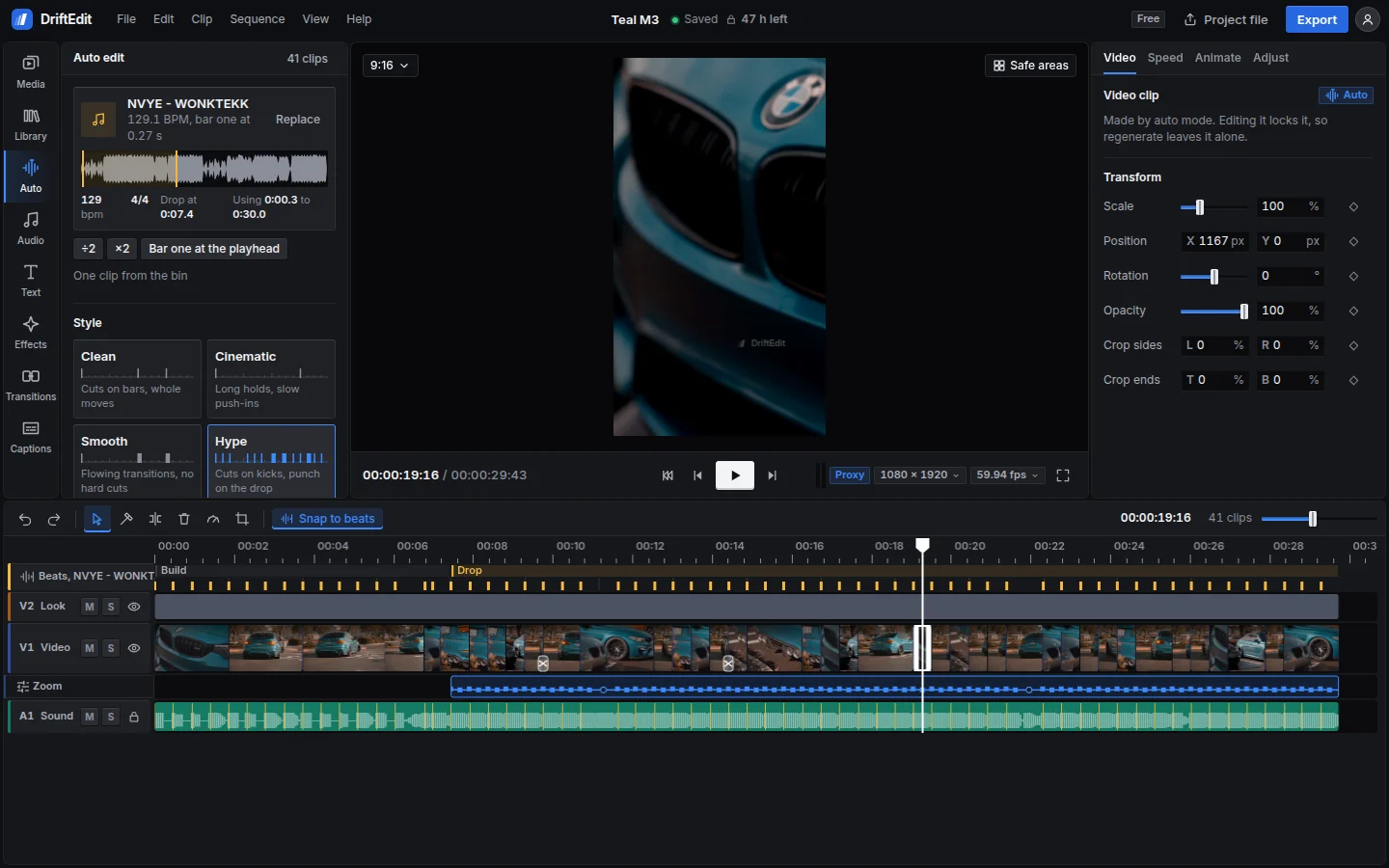
It finds the tempo, the bars and the drop, then places your sharpest, liveliest shots where the music lands. Pick one of seven styles, change anything, and remake the rest around what you changed.
Cuts on bars, whole moves
Cuts on the bar with straight cuts and no effects, so the footage carries it.
Long holds, slow push-ins
Long shots on the bar, slowed in calm passages, with dissolves and a film grade.
Flowing transitions, no hard cuts
Every cut on the bar flows into the next shot through a dissolve, a zoom, a blur or a slide.
Cuts on kicks, punch on the drop
Cuts on the kicks of the drop, with a zoom on every one, flashes on new sections and whip pans.
Speed ramps into every hit
Speeds up in the drops and slows down between them, with zoom transitions and a vivid grade.
Shakes and flashes on every kick
Cuts on every kick, with glitches, colour splits, shake and strobe.
Footage that plays back on the beat
Cuts on the kicks, with shots that play backwards, rewinds on the beat and a rewind into the drop.
Hatched shots play backwards. A notch is a soft cut, a transition.
Auto mode only fills the timeline. What it makes is ordinary clips, effects and keyframes, for a 15 second short or a longer video.
Scale, position, rotation and opacity keyed on the timeline, with easing. Speed ramps, reverse and rewind per clip, and automation lanes for volume, pan and filters.
160 effects and 81 transitions drawn on your graphics card, previewed live on the selected clip, with every parameter in the inspector.
106 text styles, 53 caption styles and 40 animations. Import SRT or WebVTT, restyle every line at once, export them again.
Exports at 720p or 1080p on the free plan, any offered frame rate, saved where you choose; or the sound alone, or one frame as a picture. 4K at up to 120 fps comes with Pro.
Decoding, cutting and encoding happen in the browser tab, on your own processor and graphics card. There is no upload, no render queue and no credits to spend.
On your device, in the browser's own storage. Decoding, editing and exporting all happen in the tab, so nothing is uploaded. A project file moves an edit, with its media if you like, between your phone and your computer.
No. The free plan works signed out. An account keeps your plan and preferences on every device, and it is needed to pay once Pro is on sale.
Any audio file you have. DriftEdit does not host or sell music. The Library has its own sounds and beats, made in code and free to use in anything you export.
The DriftEdit mark at 25% opacity, 10% of the frame's shorter side, inside the area TikTok, Reels and Shorts leave clear of their buttons.
On the free plan a project locks 48 hours after its last edit. Every edit restarts the clock, and the time left is always shown. A locked project stays on your device with its media, and Pro opens it again. Your exports are your files and never expire.
Current Chrome and Edge on desktop and Android, where the studio is tested today. Safari and Firefox support is being measured device by device; where a browser cannot do something, the option says so.
It opens in this browser, with nothing to install.